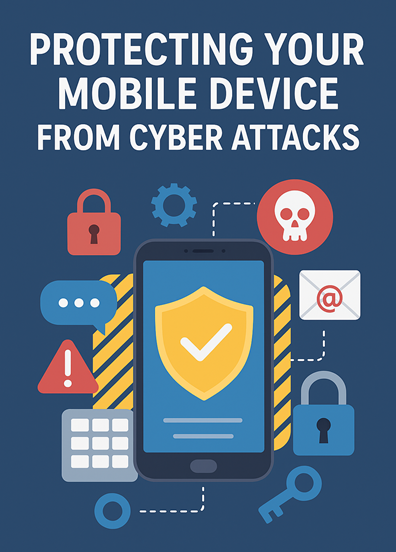
Protecting Your Mobile Device from Cyber Attacks: A Complete Guide. In today’s hyper-connected world, mobile devices have become more than just communication tools. They serve as personal assistants, wallets, and workstations, holding sensitive information like financial data, personal messages, and login credentials. But this dependence comes with a risk—mobile devices are now among the top targets for cybercriminals. Safeguarding them is no longer optional; it’s a necessity.
Why Mobile Security Is Crucial
Mobile devices are exposed to several cybersecurity risks, including:
- Malware: Malicious apps or files designed to steal data or gain unauthorized access.
- Phishing: Fraudulent messages or websites tricking users into revealing private details like bank passwords.
- Data Breaches: Hackers exploiting weak defenses to steal or misuse personal data, often leading to identity theft or financial loss.
Practical Tips to Protect Your Mobile Device
- Use Strong, Unique Passwords
Create complex passwords for both your device and apps. Avoid simple details like birthdays or predictable sequences. - Keep Software Updated
Regularly update your operating system and apps. Updates often contain critical security patches. - Be Careful with Public Wi-Fi
Public networks are easy targets for hackers. If you must use them, connect through a VPN to keep your data secure. - Install Antivirus Protection
Use trusted mobile antivirus software to detect and remove malware threats. - Download Apps from Official Sources
Stick to the Google Play Store or Apple App Store. Third-party downloads may contain hidden malware. - Enable Two-Factor Authentication (2FA)
Add an extra layer of protection to accounts by requiring a password plus fingerprint, facial recognition, or one-time code. - Regularly Back Up Data
Store backups on the cloud or an external drive to prevent permanent data loss. - Secure Your Lock Screen
Use PINs, patterns, or biometrics to prevent unauthorized access if your device is lost or stolen. - Beware of Suspicious Links & Attachments
Never click on unknown links or open attachments from unfamiliar sources—they’re often phishing traps. - Monitor Device Activity
Stay alert for unusual activity like unfamiliar apps or unexpected data usage, which may signal a breach.
Additional Best Practices
- Use a Mobile Security App: Many offer anti-theft, malware scanning, and real-time monitoring.
- Avoid Rooting or Jailbreaking: It weakens built-in protections and increases exposure to threats.
- Enable Encryption: Encrypting your device ensures sensitive data remains unreadable if stolen.
Conclusion
Your mobile device is an extension of your digital life—protecting it means protecting your identity, privacy, and finances. Cyber attackers are becoming smarter every day, but by following these security practices—strong passwords, updates, antivirus software, secure browsing, and backups—you can stay one step ahead.
Think of mobile security as digital self-defense. A few proactive measures today can save you from serious risks tomorrow.